Product study · Motorcycle marketplace
Motorcycle Marketplace
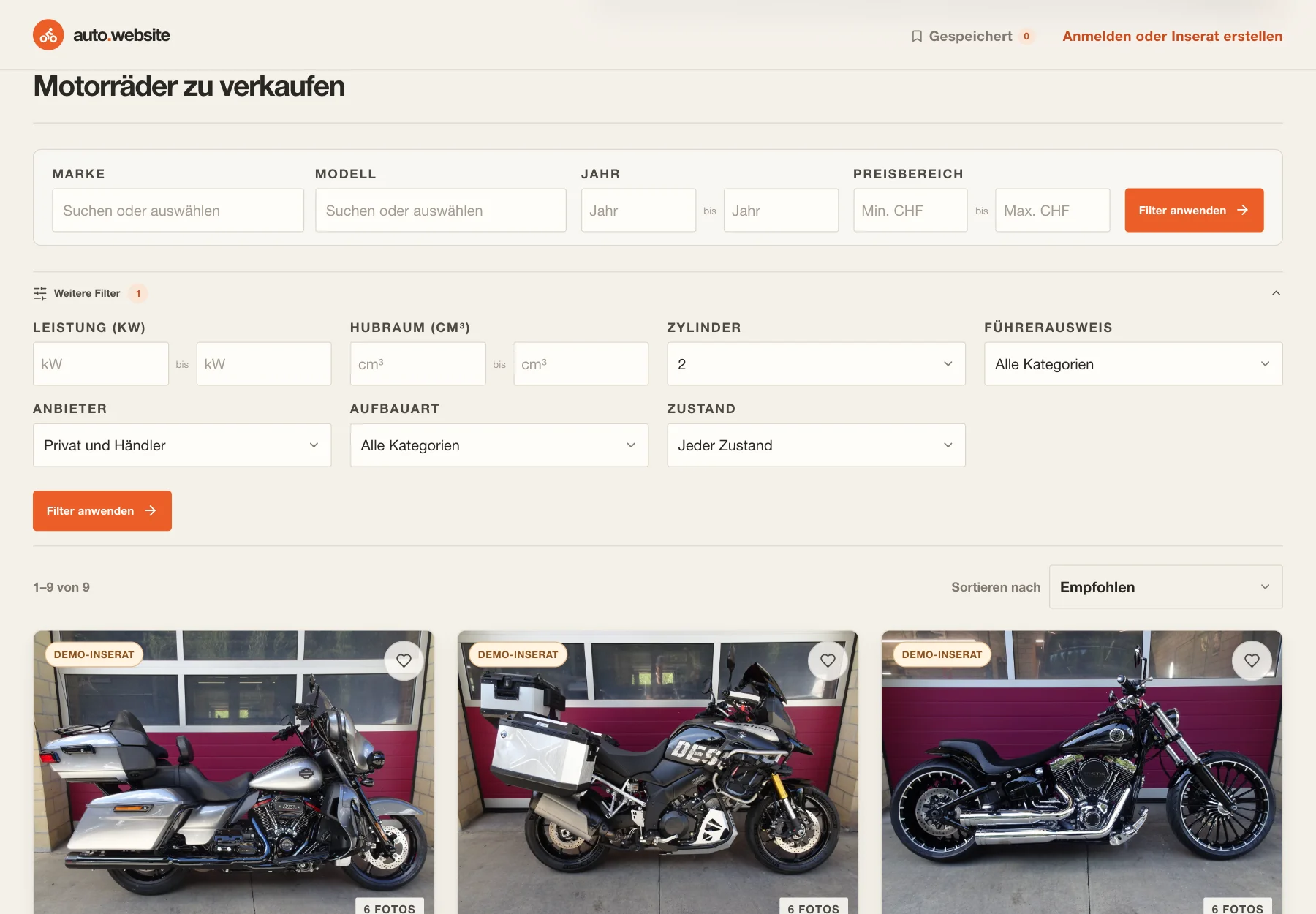
Find motorcycles by riding category, power, displacement and price, then inspect each listing and its photos.
01 / The task
What needed to work
Motorcycle shoppers need filters for riding-specific details as well as price and location. The marketplace keeps search, structured specifications and photo inspection in one flow.
My role
I built the motorcycle data model and search experience, listing and photo views, local favourites, and tools for managing motorcycle adverts.
02 / Decisions
Where judgment mattered
Share the marketplace across bikes and cars
A shared frontend keeps search, detail and account behavior consistent; motorcycle mode adds its own labels, imagery, filters and fields.
Separate motorcycle and car data
Separate inventory paths and session cookies keep motorcycle records apart from car listings and accounts.
Keep search and selection in the URL
Search, filters, sorting and the selected listing stay in the URL, so a listing can be reopened or shared directly.
Calculate licence category from power
The server derives A1, A restricted or A open from the recorded power in kW.
Load full-size photos on request
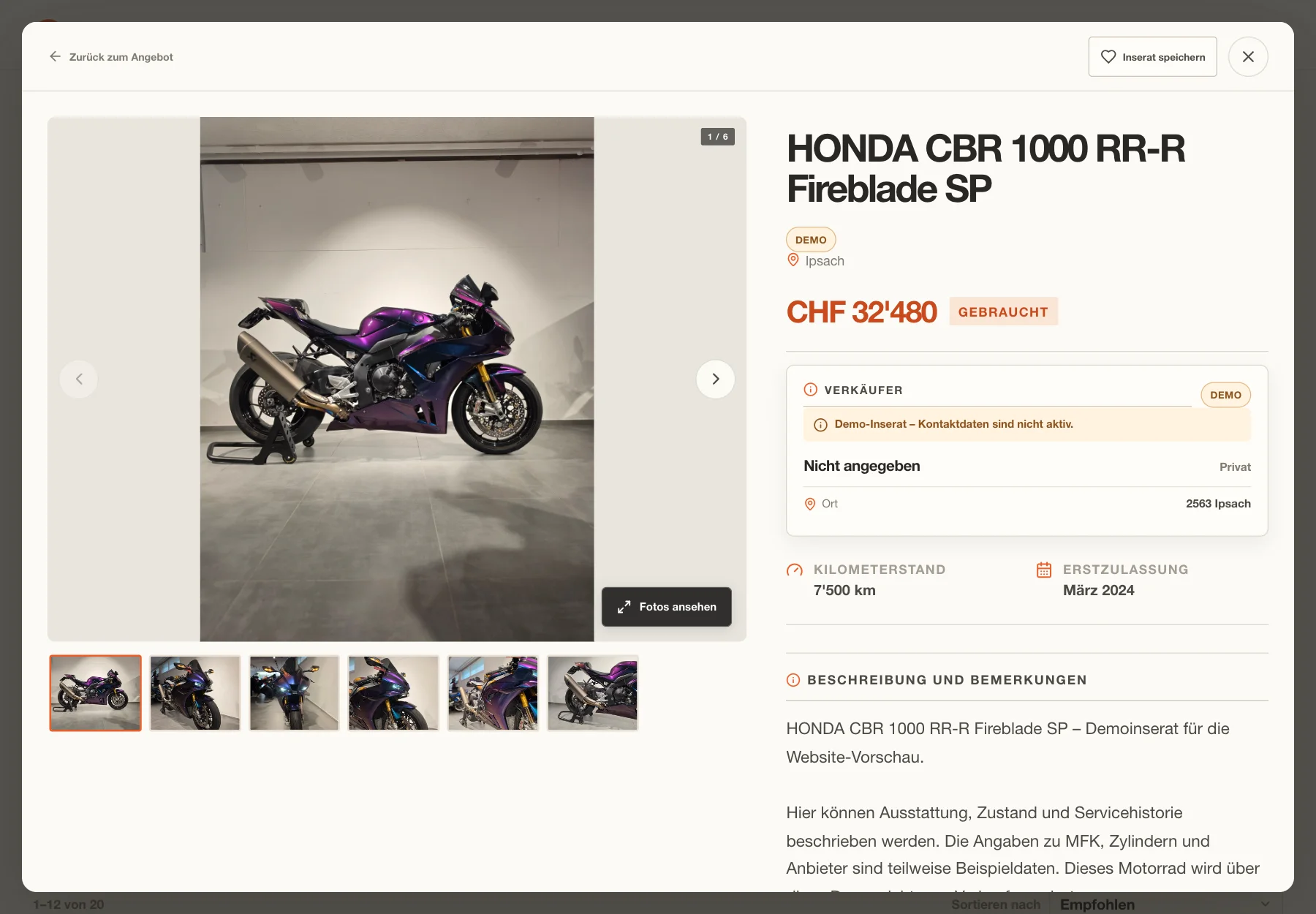
The listing loads responsive previews first. The full photo viewer loads when someone opens it.
Validate motorcycle filters in the API
The API validates filters against motorcycle inventory and returns motorcycle-specific fields.
03 / Agent contribution
How the work was directed
I use AI coding assistants to build independent projects, while owning product decisions, review and testing.
Owner account · General working method
These product decisions are grounded in the implementation and capture notes. The broader workflow is my account of how I work across these projects.
04 / Verification & result
What the evidence supports
Implemented functionality
- Motorcycle marketplace mode. The motorcycle version adds its own categories, filters and listing fields, including cylinders, licence category and riding equipment.
- Search and riding filters. Search by title, make, model or city, then filter by year, price, power, displacement, cylinders, licence category, seller, type and condition.
- Listing details and photo viewer. Open a shareable motorcycle listing with price, mileage, registration, licence category, MFK, equipment and description, then browse or zoom its photos.
Implementation inspected
The screenshots show demo data, public observations or labelled report presentations, as described in each caption.
05 / Product evidence
Selected screens
Supporting detail
Technology
- React 19
- TypeScript
- Vite
- Lucide React
- PhotoSwipe
- Python loopback HTTP server
- SQLite
- Pillow and Authlib account dependencies